


Lakilaki
4.04.00 Reviews
App Specs
- Version
- 1.17.0
- Updated On
- License
- Free
- Downloads
- 10,000+
- Developer
- Lakilaki
- Categories
- Beauty
- Platform
- Android
Screenshots
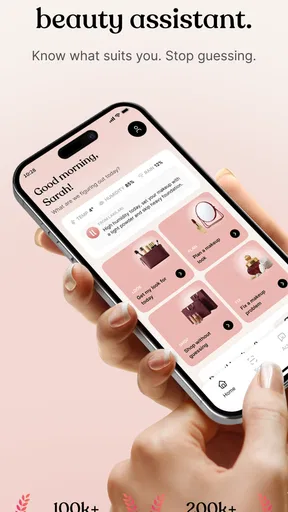
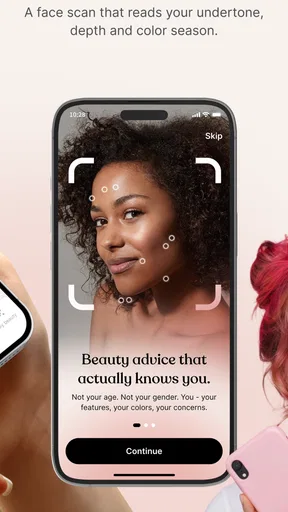
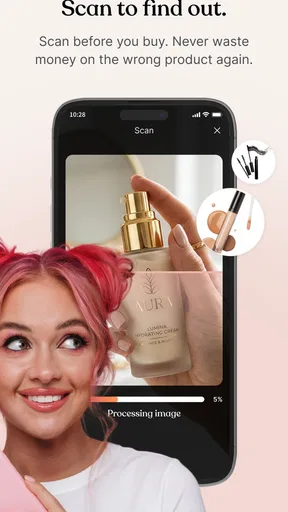
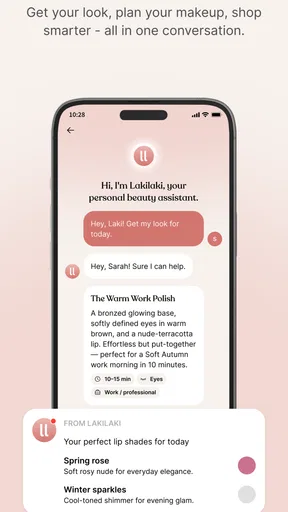
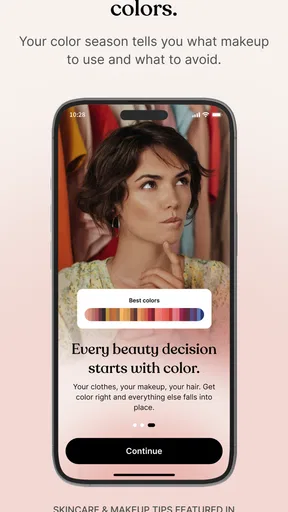
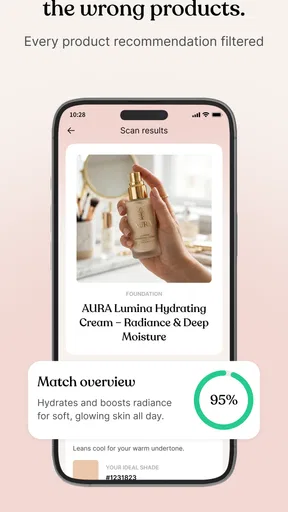
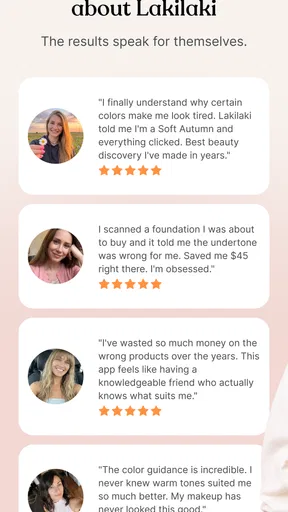

 Analysis by AppCompare
In a home where beauty questions come up while people are getting ready, shopping, or borrowing one another’s devices, it helps to know whether an app is meant for an individual or a group. Lakilaki is a beauty assistant with a personal focus. I’d consider it for someone who wants a dedicated place to think through beauty-related needs, rather than relying entirely on scattered notes or general-purpose apps. My main advice is to treat it as an individual assistant first, not assume that one installation automatically becomes a shared household account.
A small shared-device test before relying on it
When someone in the household tries Lakilaki for the first time, I’d start with one person’s ordinary question rather than setting it up as a family resource. That makes it easier to judge whether its approach suits that person without blurring preferences or implying that everyone will get the same kind of help. A beauty assistant is most useful when the question reflects the user’s own routine and priorities.
For example, imagine getting ready for an event while a partner or teenager borrows the tablet. One person may want to think through their own beauty choices, while the other only needs the device for something unrelated. Pausing to establish whose needs are being considered is a small but useful habit: it avoids treating one person’s preferences as a household default.
Where it fits in a shared household
A shared phone or tablet can be convenient for looking something up together, but beauty choices are personal: one person’s routine, sensitivities, and priorities may not suit another’s. With Lakilaki, I would keep that distinction in mind from the start. If two people take turns using the same device, they should avoid treating one person’s preferences or routine as a reliable guide for the other.
A realistic use case is a household getting ready for an event. One person may want help organizing their own beauty decisions while another is simply borrowing the device. The useful habit is to make clear whose needs are being considered before using a personal assistant. That sounds basic, but it prevents shared-device convenience from turning into mixed-up advice or assumptions.
I would not choose Lakilaki on the expectation that it includes family profiles, shared lists, or built-in coordination tools. Those are different needs from having a personal beauty assistant. If household members want to plan purchases together, a shared note or shopping list may be the more dependable companion, while each person keeps their own beauty decisions separate.
Set expectations before sharing a device
Because Lakilaki is described as personal, I’d approach setup as something belonging to the person who will use it. Before handing over a phone, check whether the app is open to personal information or an active session, and close it if the next user should not see that material. This is a sensible shared-device routine, not a claim that the app provides a particular privacy control.
Worth Reading Before You Choose

EA SPORTS FC Mobile 26 Is a Bigger Football Game, but It Takes Time

Flipboard Shows What News Apps Must Do Beyond the Feed

Switching to Android Auto Means Rethinking Your Driving Routine

Google Calendar Makes a Crowded Week Easier to Manage

Ludo King Makes the Most of the Minutes Between Plans

Baby Panda World Brings Quick Play to Modern Phones, but Its Game Library Feels Busy
The same boundary matters when a parent or partner helps someone get started. Let the intended user make the choices and explain what they want from the app; another person can help with navigation without deciding what their beauty routine should be. That keeps assistance practical rather than intrusive.
One useful trade-off is convenience versus separation. A common household device saves everyone from installing apps on multiple phones, but it also makes it easier to confuse whose preferences are being discussed. If that distinction matters to you, using a personal device is the cleaner arrangement. If you must share, agree on a simple rule: identify the person whose question is being handled before starting.
Coordination without assuming group features
Lakilaki may be useful as the place one person turns to when thinking through beauty-related decisions, but a household should not confuse that with a coordination hub. For example, if someone is asking another family member to pick up a product, the request still needs to be communicated through whatever shared method the household already uses. I would not rely on the app itself to notify another person or synchronize separate users.
A practical workflow is to use the assistant for personal consideration, then move any agreed household task into a shared calendar, message, or shopping note. This avoids an easy failure: believing that a decision made in one person’s app has automatically become visible to everyone else. It also lets people keep private preferences private while still coordinating purchases when they choose to.
That division of labor is especially helpful when tastes differ. One person may value a minimal routine, while another enjoys comparing more options. A personal beauty app can serve the first person without requiring the second to adopt the same habits. For shared purchases, discuss the exact item and who is paying outside the personal-assistant context, rather than expecting a beauty app to settle household disagreements.
Age, trust, and sensible expectations
The app is rated for Everyone, which makes its age classification broad, but that alone does not answer whether it suits a particular child’s needs or how an adult should supervise a shared device. I’d make that decision based on the child’s maturity, the kind of beauty guidance they are seeking, and the household’s comfort with app-based advice. For younger users, talking through choices together is more useful than assuming an age label replaces parental judgment.
Trust also means treating beauty suggestions as a starting point rather than an authority. Personal needs vary, and a digital assistant cannot replace a qualified professional when someone has a medical concern or a significant reaction. If a question involves persistent irritation or a health issue, I would step outside an ordinary beauty app and seek appropriate advice.
For adults, the same measured approach applies. Lakilaki’s role is personal beauty assistance, not a guarantee that every recommendation will fit every complexion, budget, or preference. I’d use my own judgment, especially before changing a routine or buying something based on a suggestion. That is not a reason to avoid the app; it is simply the sensible way to use any tool that informs personal-care decisions.
What the app offers and what to weigh
Lakilaki is a free beauty app from Lakilaki, with optional in-app purchases ranging from $1.99 to $59.99 per item. That spread makes it worth checking the cost of anything you are considering before confirming a purchase. Free to install does not necessarily mean every paid option will be useful to you, so I’d begin with the basic experience and spend only if a specific feature or item clearly meets a need.
The app has a 4.0 average from 23 ratings, alongside 4 written reviews, and has passed 10K+ installs. I read those figures as modest signs of interest, not as proof that the app will suit every user. A small rating pool can offer a quick impression, but your own priorities—especially whether you want personal guidance or household coordination—matter more.
It was released on May 28, 2026, and the current version is 1.17.0. The listed minimum operating-system requirement is 8.0. Before installing on an older device, check its system version; in a household where a tablet is passed around, also consider whether that device is kept updated and whether its owner is comfortable with everyone using the same app.
Compared with a general notes app, Lakilaki’s advantage is its beauty-specific purpose: it gives a beauty-minded user a more focused place to begin than a blank page. A notes app, however, is often better for household sharing because people already know how to write and pass along a simple list. Compared with browsing search results, a personal assistant may feel more directed, while open-ended browsing gives you more control over sources and lets you compare perspectives. Which is better depends on whether you want focus, collaboration, or independent research.
Making a personal assistant useful in practice
To get a fair sense of whether it fits, I’d use Lakilaki with a real decision already on my mind rather than opening it without a purpose. Keep the question narrow: consider one routine choice, then decide whether the response helps you think more clearly. This makes it easier to separate the value of a focused beauty tool from the novelty of trying a new app.
Another worthwhile habit is to keep household coordination outside the personal assistant. If a conversation leads to a shared purchase, write down the agreed item and who will handle it in the household’s usual shared place. That simple handoff prevents a useful personal discussion from being mistaken for a completed group plan.
It is also sensible to pause before spending. Optional in-app purchases can be easy to overlook when you are exploring, so I would check the specific item and price before confirming anything. If the basic experience already serves your purpose, there is no need to buy simply because an option is available.
Who is likely to find it useful
I’d consider Lakilaki if I wanted a beauty-focused companion for my own decisions and preferred that to starting from scratch in a generic notes app. It may also suit someone who enjoys exploring beauty choices but wants a more focused starting point than a broad web search. The strongest fit is an individual user who knows their own preferences and is comfortable evaluating suggestions rather than accepting them automatically.
I’d skip it—or use another tool alongside it—if my main goal were to manage several people’s routines in one place, keep shared household stock, or coordinate purchases automatically. A shared checklist or household organizer is a more direct fit for those tasks. I would also pass if I wanted professional medical guidance, guaranteed recommendations for a specific condition, or a fully collaborative family system.
One question a household may reasonably ask is whether one person can use the app while another keeps their choices separate on the same device. I would not plan around separate profiles or account boundaries that have not been established. If individual separation is important, use separate devices where possible, or keep sessions closed between users and choose a shared tool for genuinely common tasks.
Another practical question is whether the age classification means a child can use it without adult involvement. I would treat the Everyone rating as an age classification, not a substitute for a parent’s judgment about a particular child, their questions, or how they use a shared device. For a health concern, a beauty assistant is not the right replacement for qualified advice.
For a household, my verdict is cautiously positive when one person is the main user and everyone understands the boundaries. Lakilaki has a clear personal beauty focus, is free to begin, and offers a more relevant starting point than a blank note for someone seeking beauty-oriented help. The sensible approach is to keep each person’s needs distinct, use a separate shared tool for coordination, and review optional spending before committing. If that arrangement matches how your home uses devices, it is worth trying; if the central need is shared management, choose a tool built for that job instead.
Pros
- Simple layout makes it easy to find key features.
- Useful for staying connected with other Lakilaki users.
- Notifications help keep you informed about account activity.
- Works on mobile
- so you can access it while on the go.
- Getting started is straightforward for first-time users.
Cons
- Some features may require a stable internet connection.
- Notifications can become distracting if they are frequent.
- The experience may depend on how active the user community is.
- Compatibility and performance can vary across devices.
- Privacy settings may take time to review and configure.
FAQs for Lakilaki
What is Lakilaki, and what can I use it for?
Lakilaki’s exact purpose and features may depend on the version and region in which it is offered. Before downloading, check its official store listing for a clear description of the service, its intended audience, and the features available in your country. Also review recent user feedback, since app names can be used by different products and listings may change over time.
Is Lakilaki free to download and use?
The download may be free, but that does not necessarily mean every feature is free to use. Check Lakilaki’s store page for in-app purchases, subscriptions, or other charges, and review any pricing details shown inside the app before signing up or making a payment. If a subscription is offered, confirm its renewal terms and cancellation method through the platform where you purchased it.
Is Lakilaki available for Android and iPhone?
Availability can vary by country, device, and operating-system version, so look for Lakilaki directly in the Google Play Store or Apple App Store before downloading. The official listing should show compatible devices and any minimum software requirements. If the app does not appear in your regional store, avoid unofficial download sites, which may provide outdated or modified files and can put your device or personal information at risk.
What personal information does Lakilaki collect?
The information an app collects depends on its features and the permissions you grant. Before installing Lakilaki, read the privacy policy and the data-safety details on its official store listing. Pay particular attention to account information, device permissions, data sharing, and whether you can delete your account or request removal of stored data. Grant only the permissions that seem necessary for the features you intend to use.
How can I make sure I download the official Lakilaki app safely?
Search for Lakilaki in your device’s official app store and check the developer name, description, update history, and user reviews before installing. Be cautious of websites that offer APK files or ask you to disable security protections. After installation, keep the app and your operating system updated, use a strong password if an account is required, and contact the listed developer support if you encounter problems.


